
Product Tour: What the Portal Actually Looks Like
Seven real screens from the live product — not mockups. Step through them below to see what your admin staff, teachers and accountants will be working in every day.
1. Super Admin Overview & Platform Health
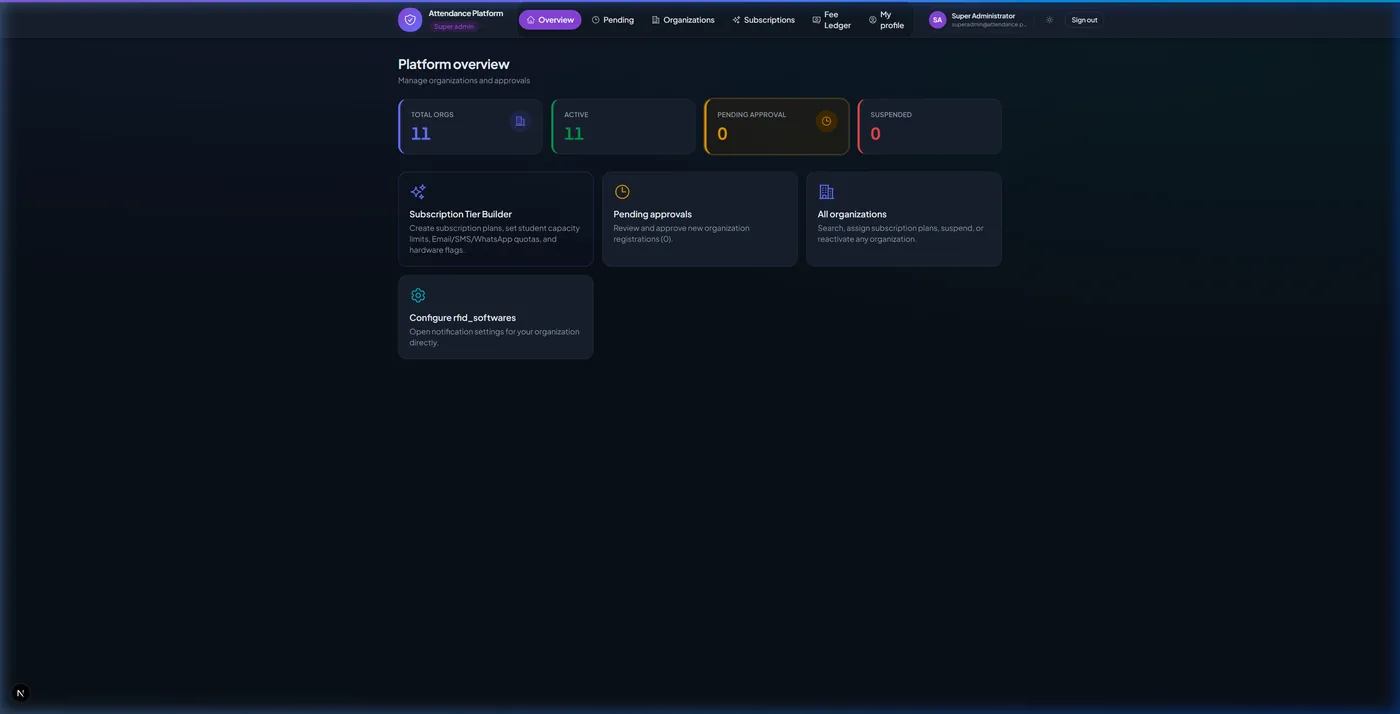
Monitor registered school organizations, total system check-ins, active gate devices, and monthly subscription revenue.
2. Fee Ledger & Revenue Collector
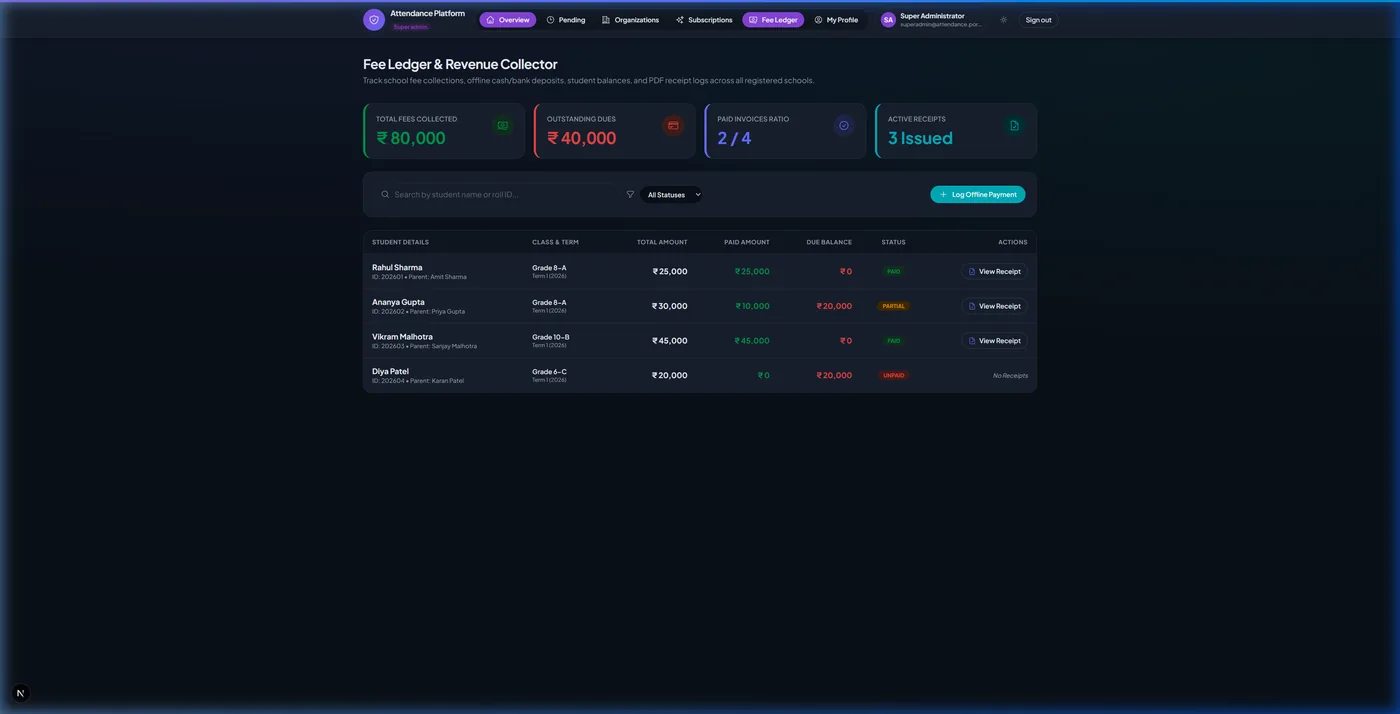
View student fee invoices, filter dues by payment status (PAID, PARTIAL, UNPAID), and generate printable official receipts.
3. Official Student Fee Receipt Modal
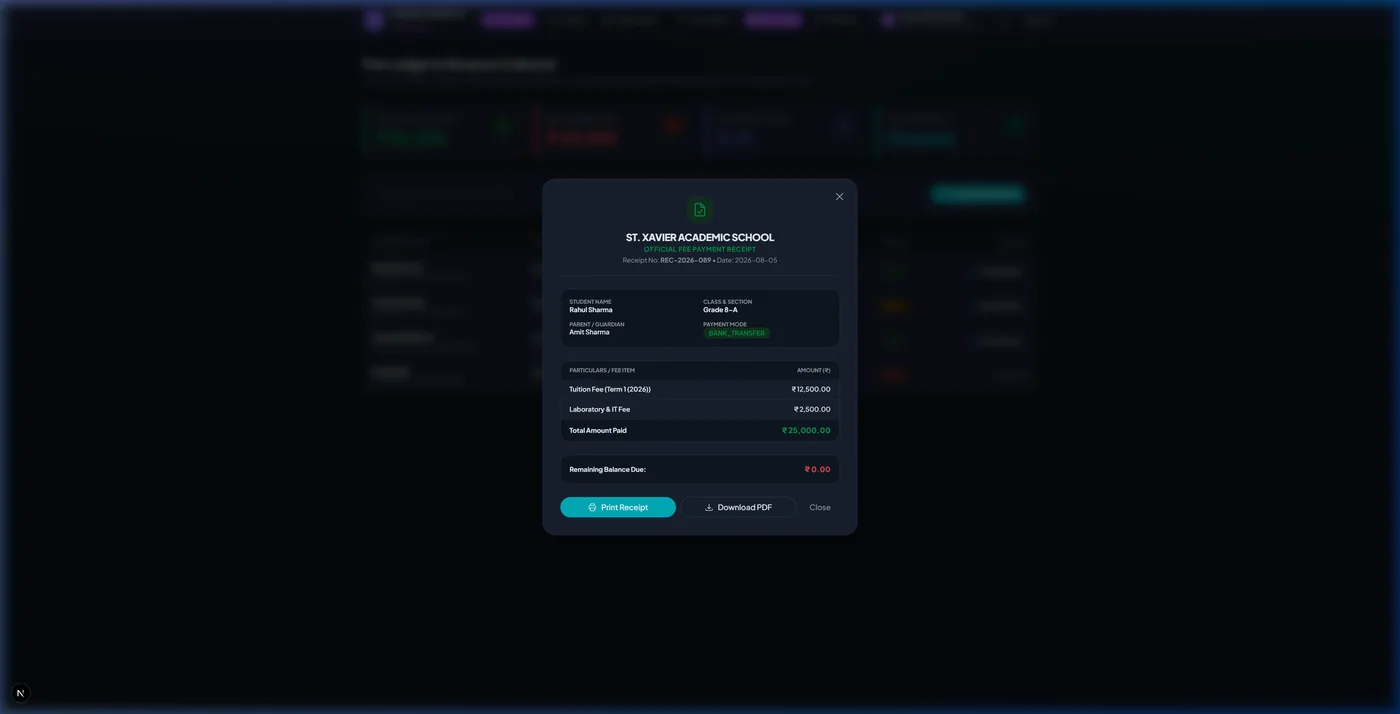
Inspect payment mode, transaction reference ID, and print/download PDF receipts for parents and accounts.
4. School Admin Dashboard & Live Gate Pings
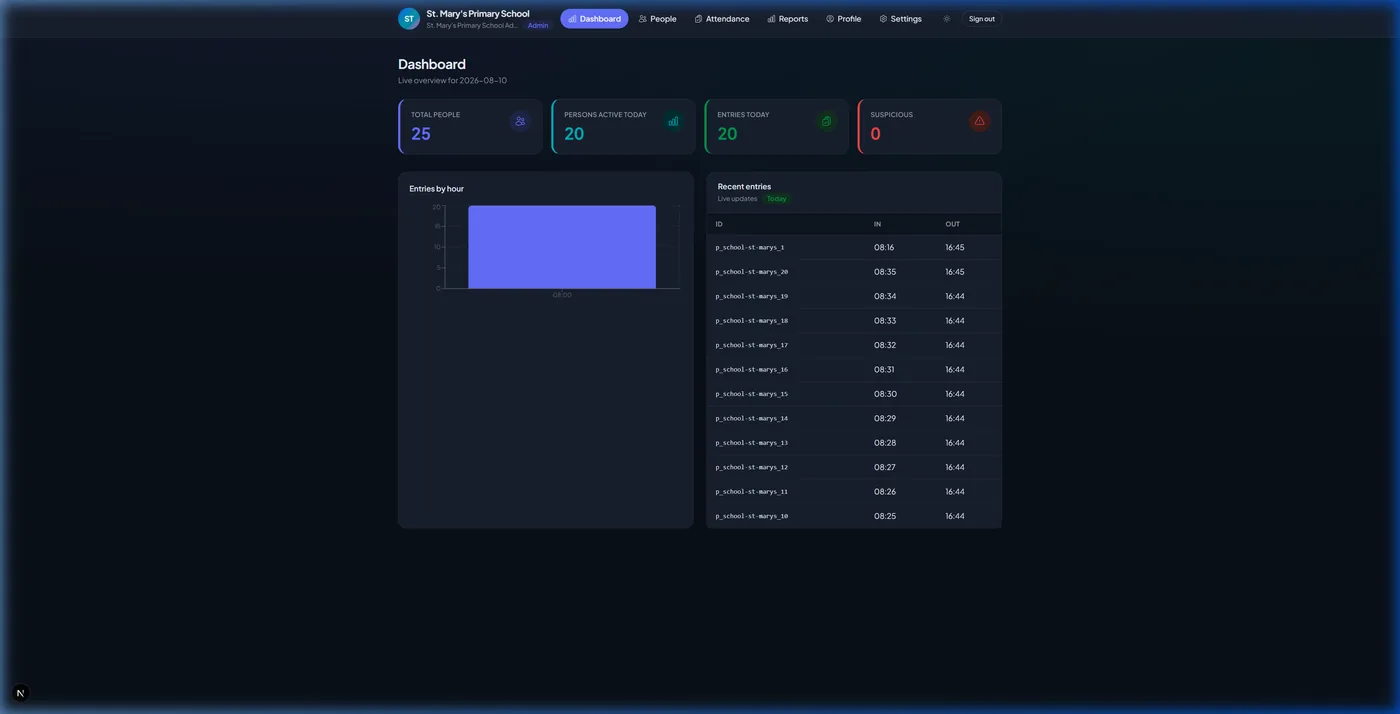
Real-time daily attendance percentage, gate check-in feed, present/absent counters, and hourly entry graphs.
5. People Directory (Students & Staff)
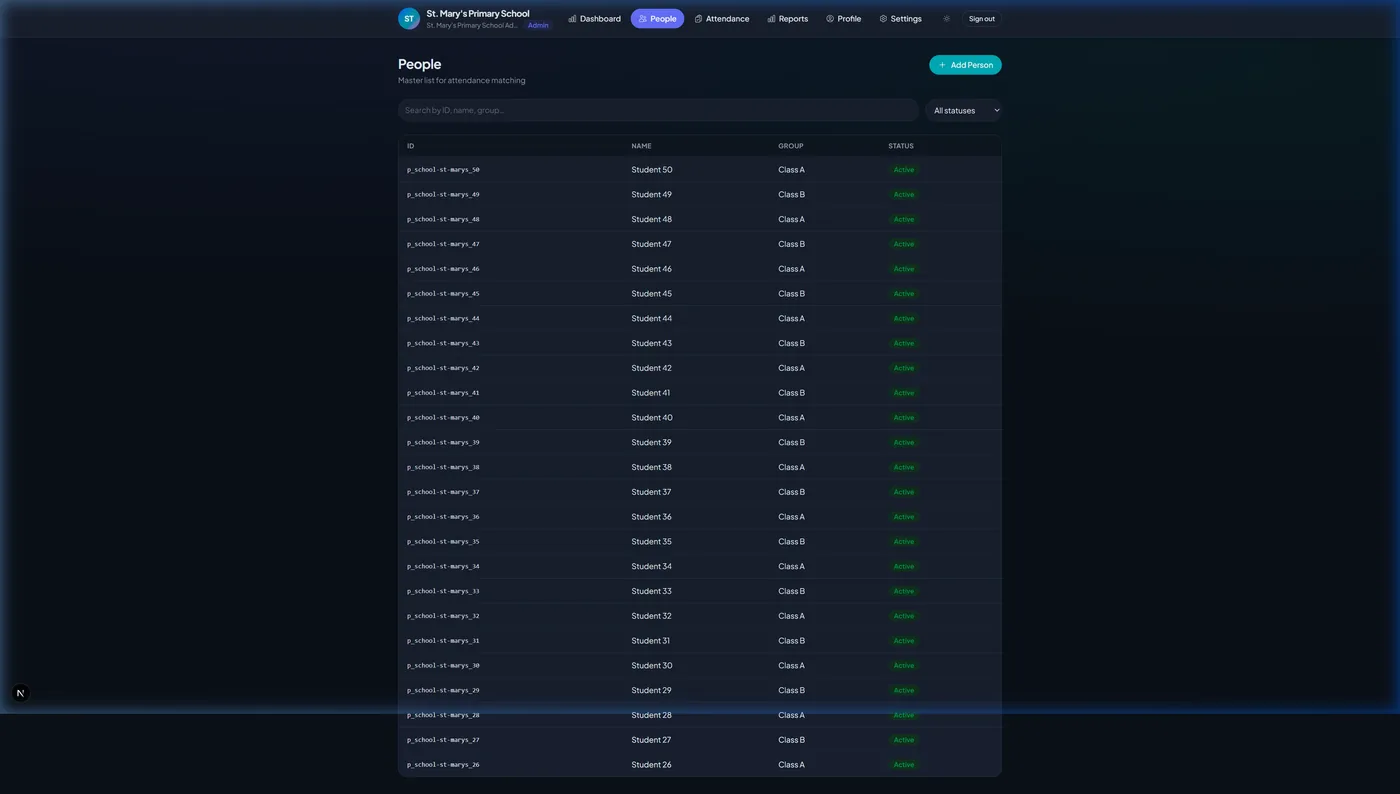
Manage student profiles, RFID card IDs, parent phone numbers, assigned classes, and custom roll numbers.
6. Daily & Period-Wise Attendance Tracker
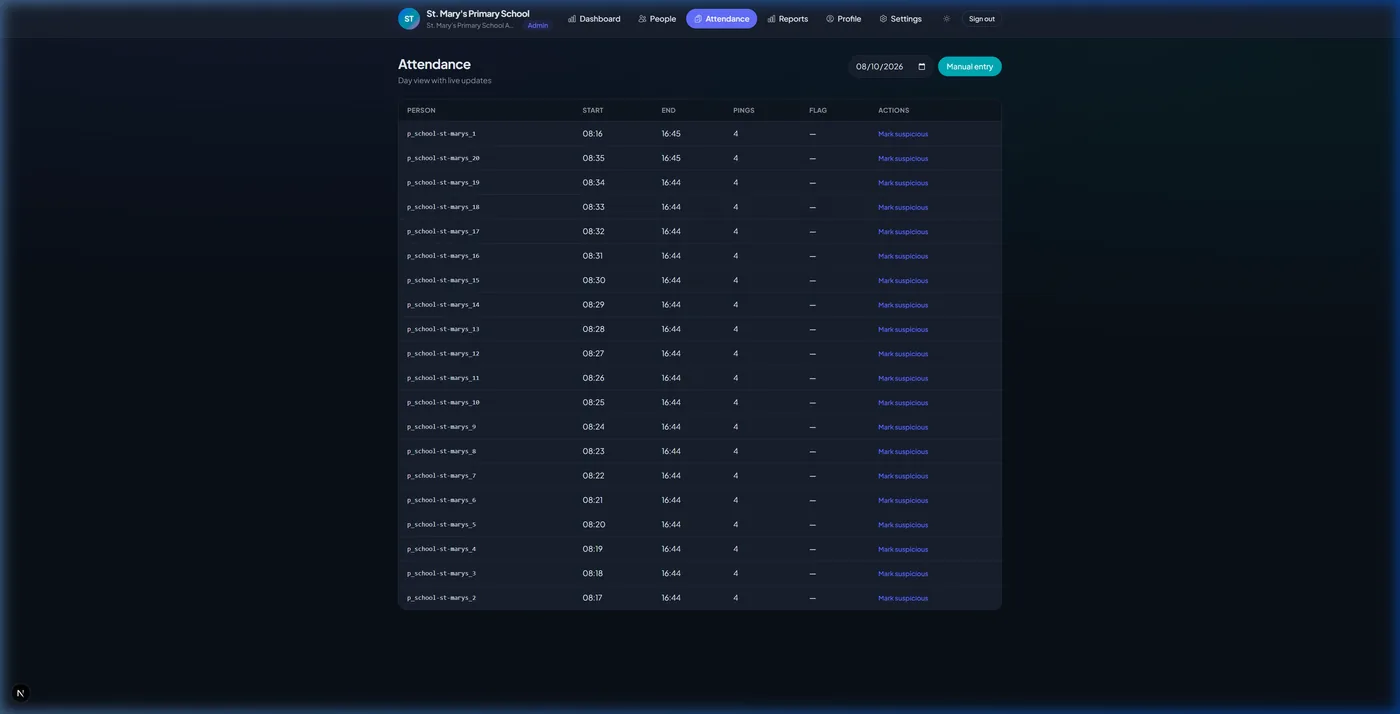
Record manual class attendance, mark present/absent/late, or view pre-populated live gate RFID pings.
7. Attendance Reports & Hourly Analytics
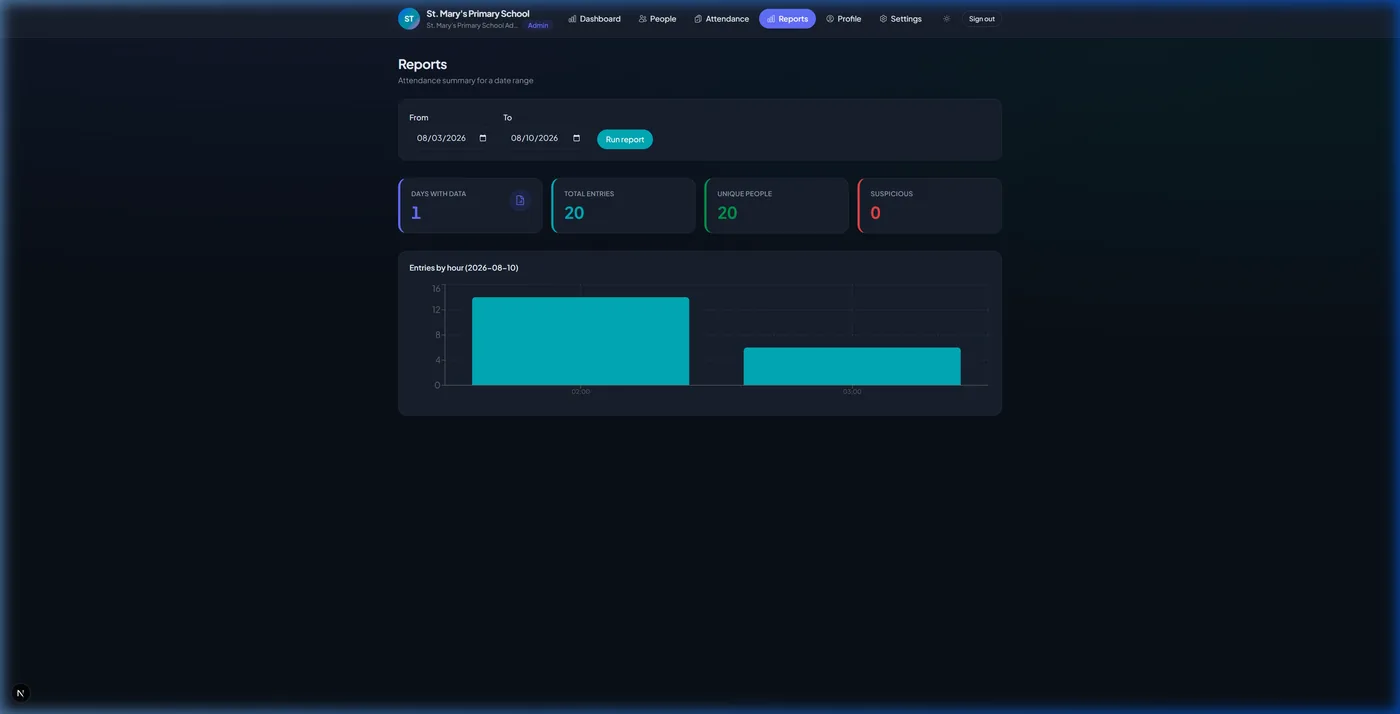
Filter attendance logs by date range, export CSV reports, and analyze peak gate entry distribution.
Who sees what
The screens above look different depending on who signs in. Access is enforced on the server, not merely hidden in the interface — a teacher cannot reach another class's attendance by editing a URL, and a parent cannot reach another child's record at all.
Super Admin
Platform operator across multiple school organizationsSees: Registered schools, total check-ins, active gate devices, subscription revenue and platform health.
Cannot: Cannot open an individual school’s student records — tenant isolation is enforced server-side.
School Admin
Principal or head of administration for one campusSees: Live gate feed, daily attendance percentage, the full student and staff directory, reports and school settings.
Cannot: Cannot see any other school’s data, or change subscription tier limits.
Teacher
Class teacher or subject teacherSees: Their own classes, the pre-filled daily or period register, leave requests awaiting approval, and marks entry.
Cannot: Cannot edit student profiles, fee records, or attendance outside their assigned classes.
Accounts
Finance or fee-collection staffSees: The fee ledger, dues filtered by class and status, payment recording and printable receipts.
Cannot: Cannot mark attendance or change academic records.
Parent
Guardian of an enrolled studentSees: Their own child only — arrival and departure times, attendance history, report cards, fee dues and leave requests.
Cannot: Cannot see any other student, class lists, or staff information.
Try it with your own data
The free plan covers 100 students and 2 staff accounts. Import a class, add a few parents and see the alerts fire — no card required, and no hardware needed to evaluate.